
PhpMyAdmin 4.2.2 Released – Install for Apache or Nginx on RHEL/CentOS 6.5/5.9 Fedora 20-12
Download Your Free eBooks NOW - 10 Free Linux eBooks for Administrators
MySQL administration via command-line in Linux is much difficult job for any newbie system administrator or database administrator, because it contains numerous commands which we cannot remember in our daily life. To make MySQL administration much easier we’re introducing a web based MySQL administration tool called PhpMyAdmin, with the help of this tool you can control and manage your database administration via browser easily.
On May 20th 2014, a new version of phpMyAdmin 4.2.2 has been released and comes with a minor crucial fixes and few important changes.

Install PhpMyAdmin for Apache or Nginx
What Is PhpMyAdmin?
PhpMyAdmin is an open source and most popular web based MySQL administration application for handling MySQL databases. It was written in PHP language, through this application you can do variousMySQL administration tasks such as create, drop, alter, delete, import, export, search, query, repair, optimize and run other database management command via browser.
In this article we’re going to learn how to install latest released PhpMyAdmin 4.2.2 for Apache or Nginxon RHEL 6.5/6.4/6.3/6.2/6.1/6/5.9/5.8, CentOS 6.4/6.3/6.2/6.1/6/5.9/5.8 and Fedora 20,19,18,17,16,15,14,13,12 systems using Yum repositories.
In this article we’re going to learn how to install latest released PhpMyAdmin 4.2.2 for Apache or Nginxon RHEL 6.5/6.4/6.3/6.2/6.1/6/5.9/5.8, CentOS 6.4/6.3/6.2/6.1/6/5.9/5.8 and Fedora 20,19,18,17,16,15,14,13,12 systems using Yum repositories.
Here we’ve provided installation of PhpMyAdmin 4.2.2 for both the web server’s Apache or Nginx. So, its up-to you which web server to choose for installation. But remember you must have working LAMP(Linux, Apache, PHP and MySQL) or LEMP (Linux, Nginx, PHP and MySQL) setup installed on your working system. If you don’t have any of them, then follow our below articles to setup.
Install Linux – RHEL 6, CentOS 6.5, Fedora 19 and Fedora 18
- Red Hat Enterprise Linux (RHEL) 6 Installation Guide with Screenshots
- CentOS 6.5 Step by Step Installation Guide with Screenshots
- Fedora 19 Step by Step Installation Guide with Screenshots
- Fedora 18 Step by Step Installation Guide with Screenshots
Install LAMP (Linux, Apache, MySQL, PHP) Setup
Install LEMP (Linux, Nginx, MySQL, PHP) Setup
Install phpMyAdmin 4.2.2 on RHEL/CentOS 6.5/5.9 Fedora 20-12
Step 1: Install Required Repositories for PhpMyAdmin 4.2.2
First, install dependency packages using following repositories.
[For RHEL/CentOS 6.5/5.9 – 32 Bit OS]
[For RHEL/CentOS 6.5/5.9 – 64 Bit OS]
[For Fedora 20-12]
Step 2: Install PhpMyAdmin 4.2.2
Once you’ve installed above repositories, you can run the following command to install it.
Note : If your are using PHP 5.4 on RHEL/CentOS systems, then you need to run the below command to install it.
Step 3: Configuring PhpMyAdmin for Apache or Nginx
[For Apache]
In Apache you don’t need to setup any Virtual Host for phpMyAdmin, because you will get workingphpMyAdmin automatically. The main configuration file is located under/etc/httpd/conf.d/phpMyAdmin.conf.
[For Nginx]
For Nginx you need to setup and create Virtual Host file manually by creating following file.
Add the following whole code to it, save and exit. In the below configuration file, I have chosen server name as tecmint, you could change it to any as per your choice.
Now set server name tecmint to localhost, To do this, just add the following entry in your /etc/hostsfile.
Now create required directory and enable Nginx virtual host for phpmyadmin.
Step 4: Restarting Apache or Nginx Service
Once you all set, now restart the service based on your selected web server.
[Restart Apache]
[Restart Nginx]
Step 5: Starting PhpMyAdmin
[Start PhpMyAdmin on Apache]
Open your browser and type the URL as http://localhost/phpmyadmin.
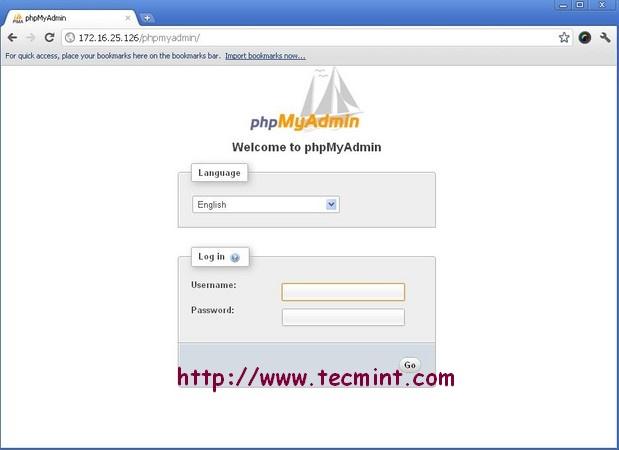
PhpMyAdmin Welcome Screen in Apache
[Start PhpMyAdmin on Nginx]
Open your browser and type the URL as http://tecmint.
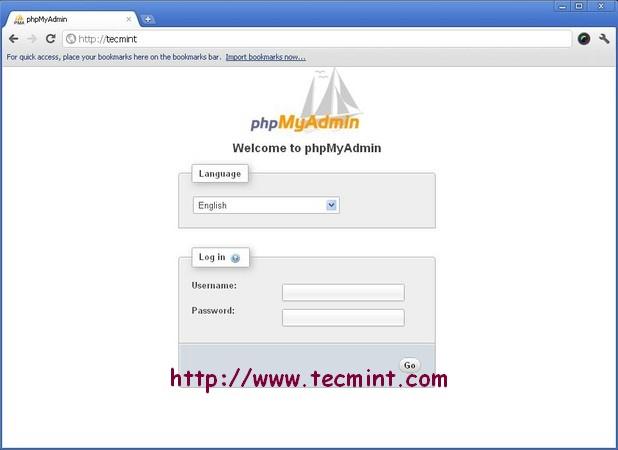
PhpMyAdmin Welcome Screen in Nginx

Nenhum comentário:
Postar um comentário